
Pon a prueba tus estrategias, en tu propio ordenador
Backtesting con ticks, validación walk-forward, evolución genética de estrategias y un analizador MQ5 en una aplicación de escritorio. Tu investigación se queda en tu ordenador.
7 días de acceso completo · Sin tarjeta · Instalación local
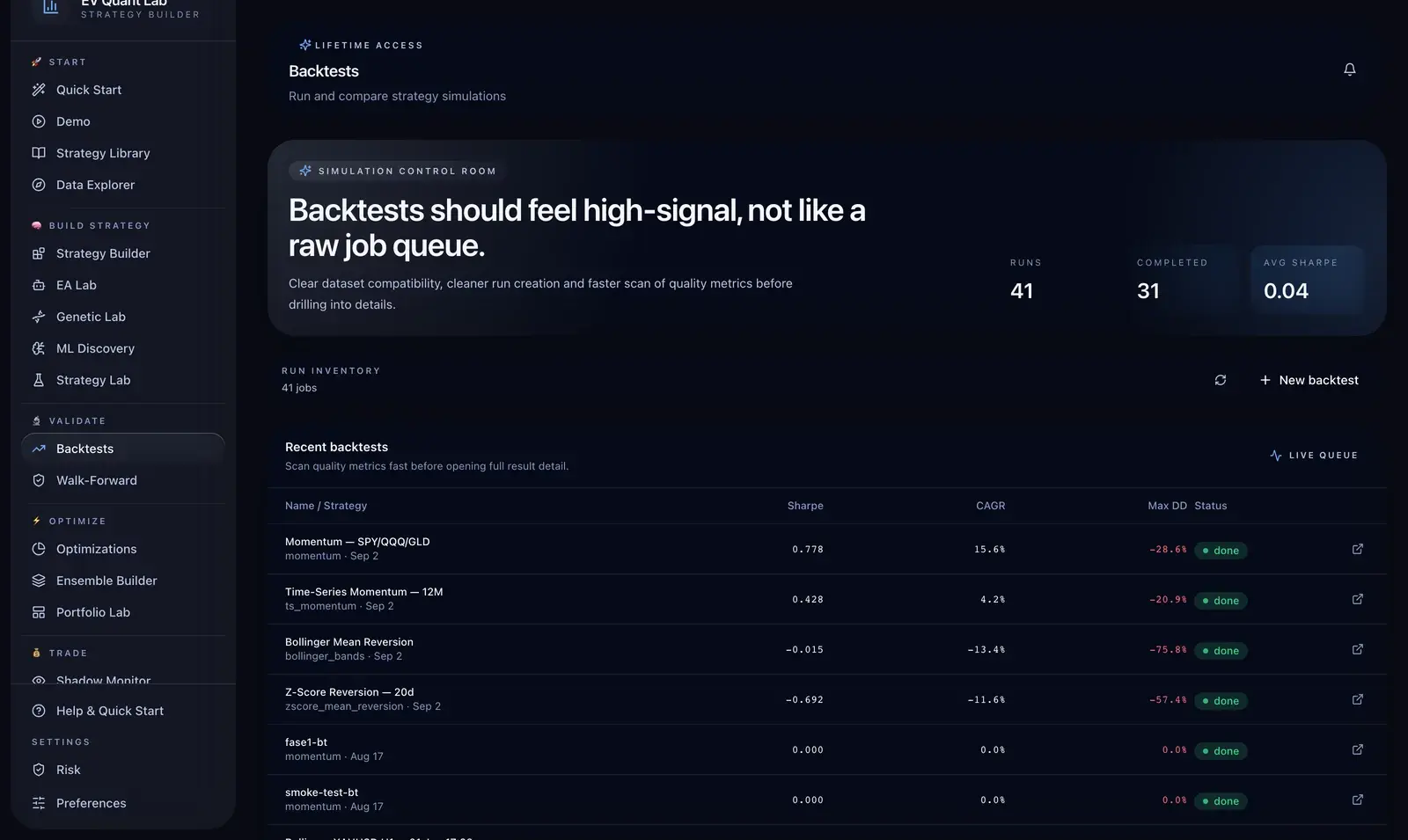
Tu investigación, en una aplicación
Ejecuta backtests y construye estrategias con tu propio equipo.
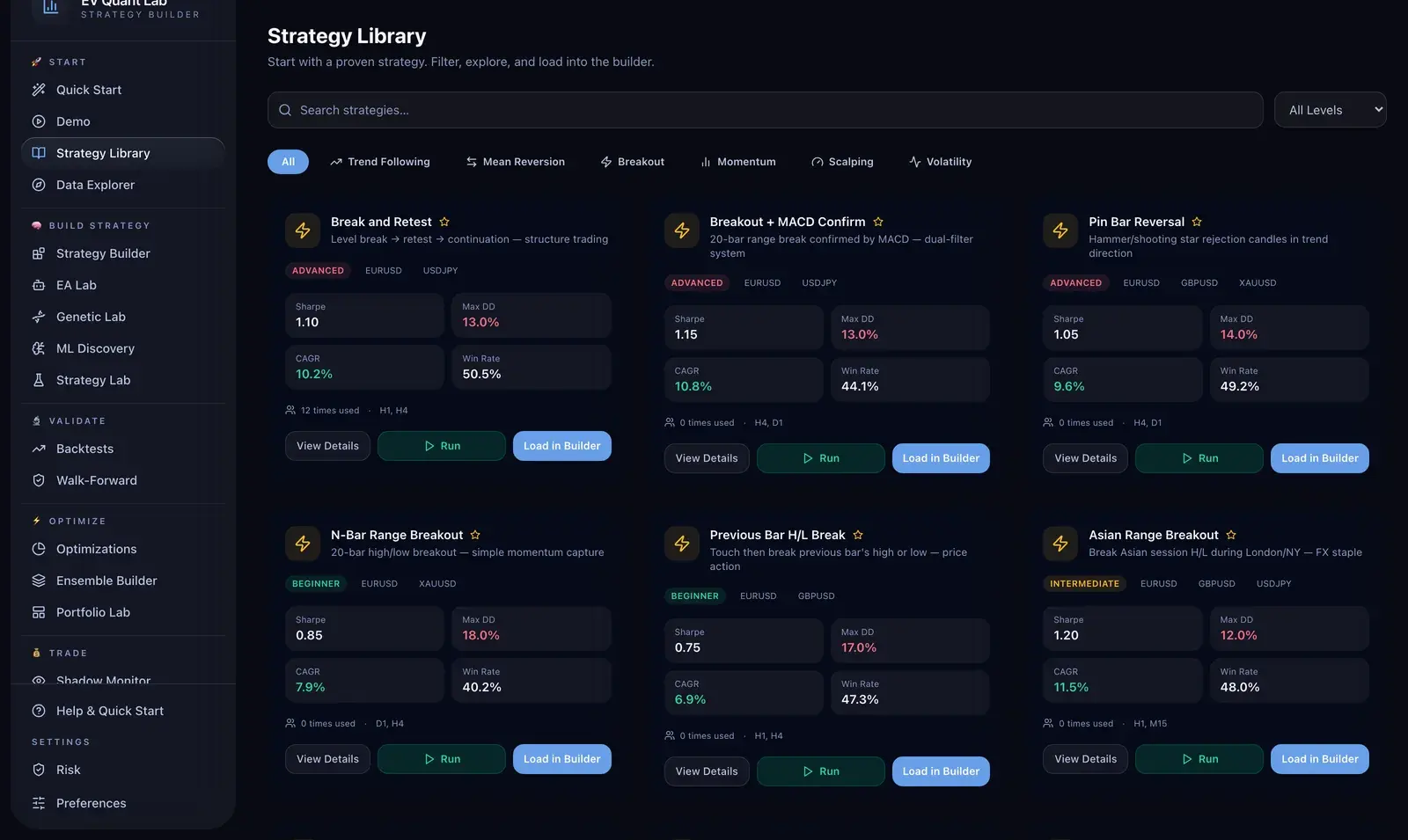
Una biblioteca que puedes evaluar
Revisa Sharpe, drawdown, CAGR, acierto y periodos de prueba de cada plantilla. Filtra por estilo y nivel, carga una estrategia en el editor y ajústala.
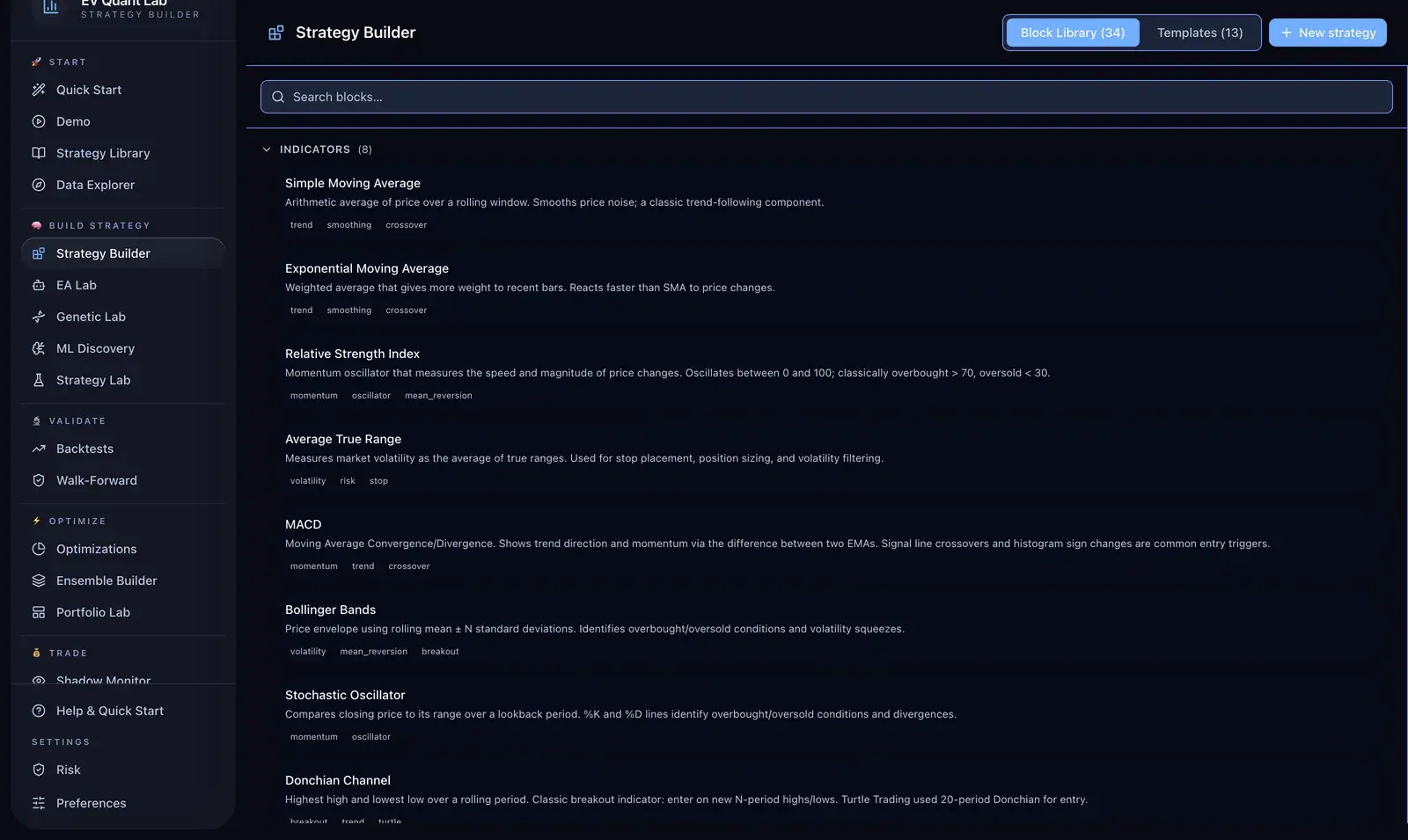
Construye con bloques
Combina 34 bloques de indicadores, filtros, entradas, salidas y riesgo, junto a 13 plantillas. Busca, arrastra y conecta, o accede a las estrategias desde Python.
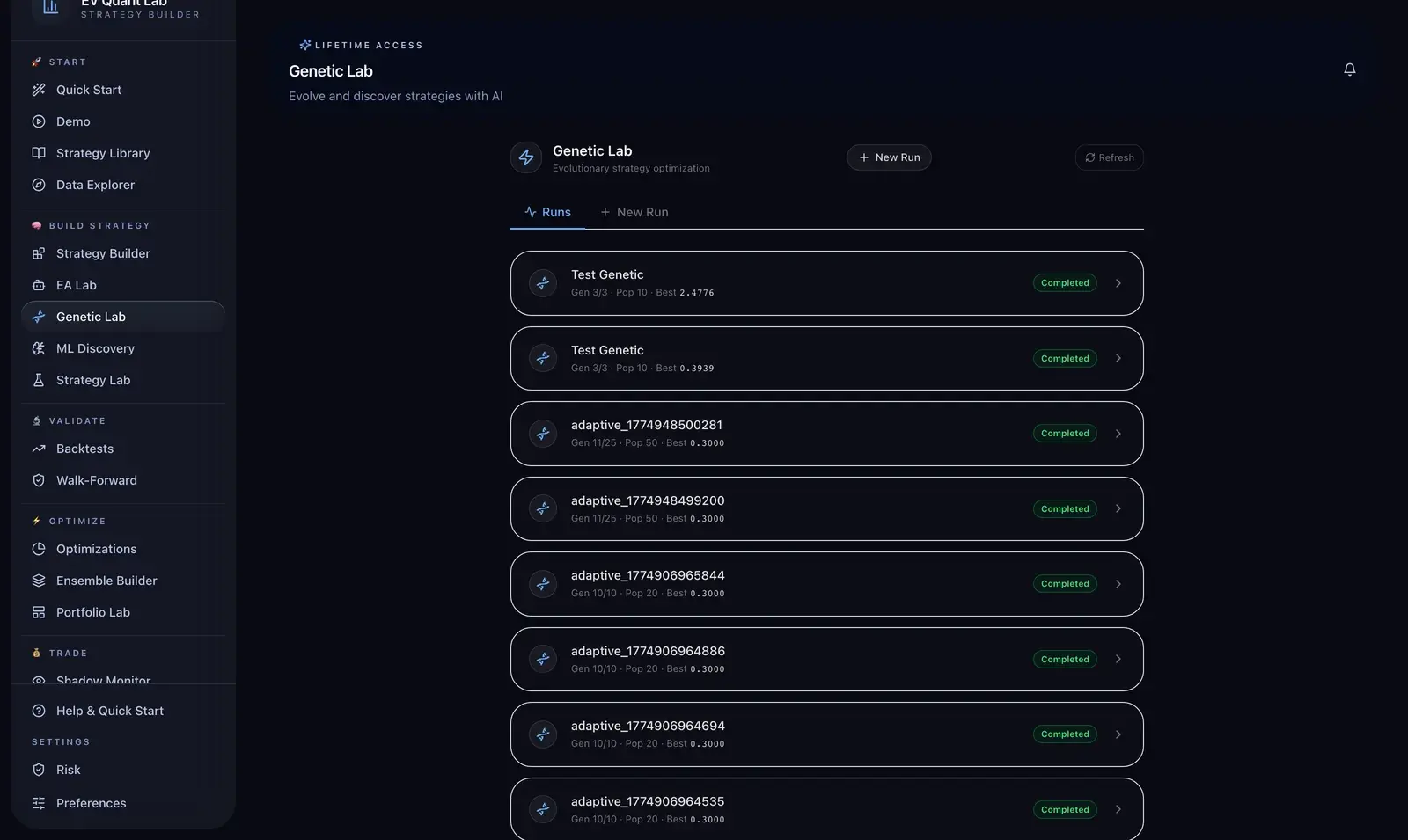
Explora variantes de tu estrategia
Define una población y un objetivo. El laboratorio genético explora parámetros por generaciones y guarda los mejores candidatos y los detalles de cada ejecución.
Backtesting con ticks reales
Datos de ticks de Dukascopy para analizar lo que ocurre dentro de cada vela.
Optimización walk-forward
Ventanas móviles y ancladas, análisis de robustez y validación fuera de muestra.
Evolución genética de estrategias
Explora parámetros por generaciones y revisa los mejores candidatos.
EA Lab — Analizador MQ5
Inspecciona los parámetros de archivos .mq5 y genera archivos .set.
Comprobación de reglas de riesgo
Evalúa estrategias con los conjuntos de reglas de prop firms configurados. Comprueba las condiciones vigentes con tu proveedor.
Investigación local
Tus estrategias y resultados de backtesting se quedan en tu ordenador.
Empieza la prueba gratuita
Siete días de acceso completo. Solicita tu clave de licencia aquí.
Precios en USD
Prueba la aplicación antes de elegir tu licencia.
Anual: 490 US$ en lugar de 588,00 US$. Ahorras 98,00 US$ al año.
Prueba gratuita
- Acceso a todas las funciones
- 1 dispositivo
- Soporte por correo
- Sin tarjeta
Mensual
Cancela cuando quieras
- Acceso a todas las funciones
- 2 dispositivos
- Soporte prioritario
- Actualizaciones durante la suscripción
De por vida
Un pago, sin cuotas recurrentes
- Todo lo incluido en la suscripción
- 3 dispositivos
- Actualizaciones de por vida
- Acceso anticipado a nuevas funciones
Licencias personales. Cancela la suscripción mensual cuando quieras.
Preguntas frecuentes
¿No encuentras lo que buscas? Contacta con nosotros.
¿Por qué importa hacer backtest con datos de ticks?
Porque los backtests con OHLC ocultan lo que pasa dentro de la vela. EV Quant Lab usa datos de ticks de Dukascopy con 6 años de histórico incluidos, así que la secuencia intrabarra, el spread y el slippage se modelan en lugar de suponerse. La diferencia se nota sobre todo en temporalidades bajas y en noticias.
¿Qué aporta el walk-forward frente a una optimización normal?
Comprueba si tus parámetros sobreviven en datos con los que no se ajustaron. El walk-forward rolling y anchored devuelven resultados fuera de muestra más un score de robustez y el desglose por ventana, que es como se distingue un edge real de una curva ajustada al histórico.
¿Mis datos o mis estrategias salen de mi ordenador?
No. EV Quant Lab funciona en local en tu Mac o PC con Windows: sin subida a la nube y sin suscripción de datos. Tus estrategias y resultados se quedan en tu disco, que es justo lo que necesitas si vas a operar ese edge.
¿Puede comprobar si una estrategia cumple las reglas de una prop firm?
Sí. Las estrategias se evalúan automáticamente contra los reglamentos de FTMO, E8 y MyFundedFX, y el EA Lab lee cualquier archivo .mq5 para extraer inputs, avisar de incompatibilidades con prop firms y generar los .set correspondientes.
¿Necesito programar para usarlo?
No para testear, sí si quieres lógica propia. Puedes hacer backtest y optimizar estrategias y archivos .mq5 existentes sin escribir código; el módulo de evolución genética construye y ordena variantes de estrategia por generaciones.
Requisitos del sistema
macOS 13 Ventura o posterior
Apple Silicon (M1–M4). Versión Intel pendiente.
Windows 10 or 11 (x64)
Instalador estándar. No requiere WSL ni Docker.
Ambas plataformas: 8 GB de RAM · 2 GB de espacio libre.
© 2026 EV Trading Labs · contact@evtradelabs.com